
Introduction
- Brief overview of Microsoft 365 adoption across businesses.
- Common challenges during setup: domain config, user migration, security.
- Introduce Microsoft FastTrack as a free service to help streamline setup and adoption.
What is Microsoft FastTrack?
- Definition: A Microsoft program that helps organizations onboard Microsoft 365 services.
- Key points:
- Free for customers with 150+ licenses (eligible subscriptions).
- Remote guidance from Microsoft engineers (not hands-on, but very helpful).
- Covers identity, email, Teams, OneDrive, Defender, and more.
- Focus on best practices for security and adoption.
Requirements for Using FastTrack
- You need an eligible subscription (Microsoft 365 Business, E3, E5, etc.).
- Minimum of 150 seats (for most services).
- Organization must request assistance via the FastTrack portal or through your Microsoft Partner.
Step-by-Step: How to Get Started with FastTrack
1. Purchase an Eligible Microsoft 365 Subscription
- List some qualifying plans (Business Premium, E3, E5).
- Mention volume requirements (150+ licenses typically).
2. Submit a Request via the FastTrack Portal
- Go to https://www.microsoft.com/en-us/fasttrack/microsoft-365
- Use the “Sing In” button.
- Sign in with your admin account.
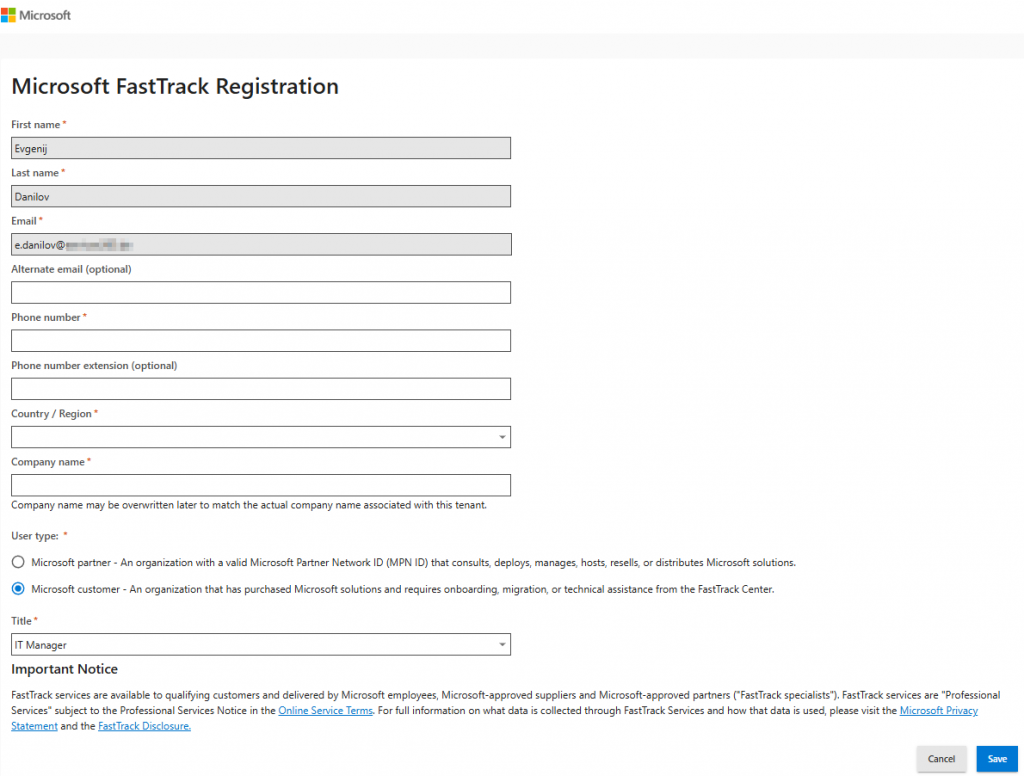
Use may also learn more about FastTrack from the official Microsoft documentation here https://learn.microsoft.com/en-us/microsoft-365/fasttrack/introduction?culture=en-us&country=us
3. FastTrack Team Contacts You
- Microsoft engineers schedule onboarding calls.
- Assessment of your environment, current tools, and migration needs.
4. Planning and Configuration Assistance
- Identity and access setup (Entra ID, SSO).
- Email migration (from Exchange, Gmail, etc.).
- Teams rollout, OneDrive, SharePoint setup.
- Defender configuration and basic security hardening.
5. Post-Deployment Support
- End-user training resources.
- Adoption playbooks and tips.
- Ongoing access to best practices and guidance.